How to Clean Mueller Ultra-Grind Coffee Grinder CG900
QUICK ANSWER
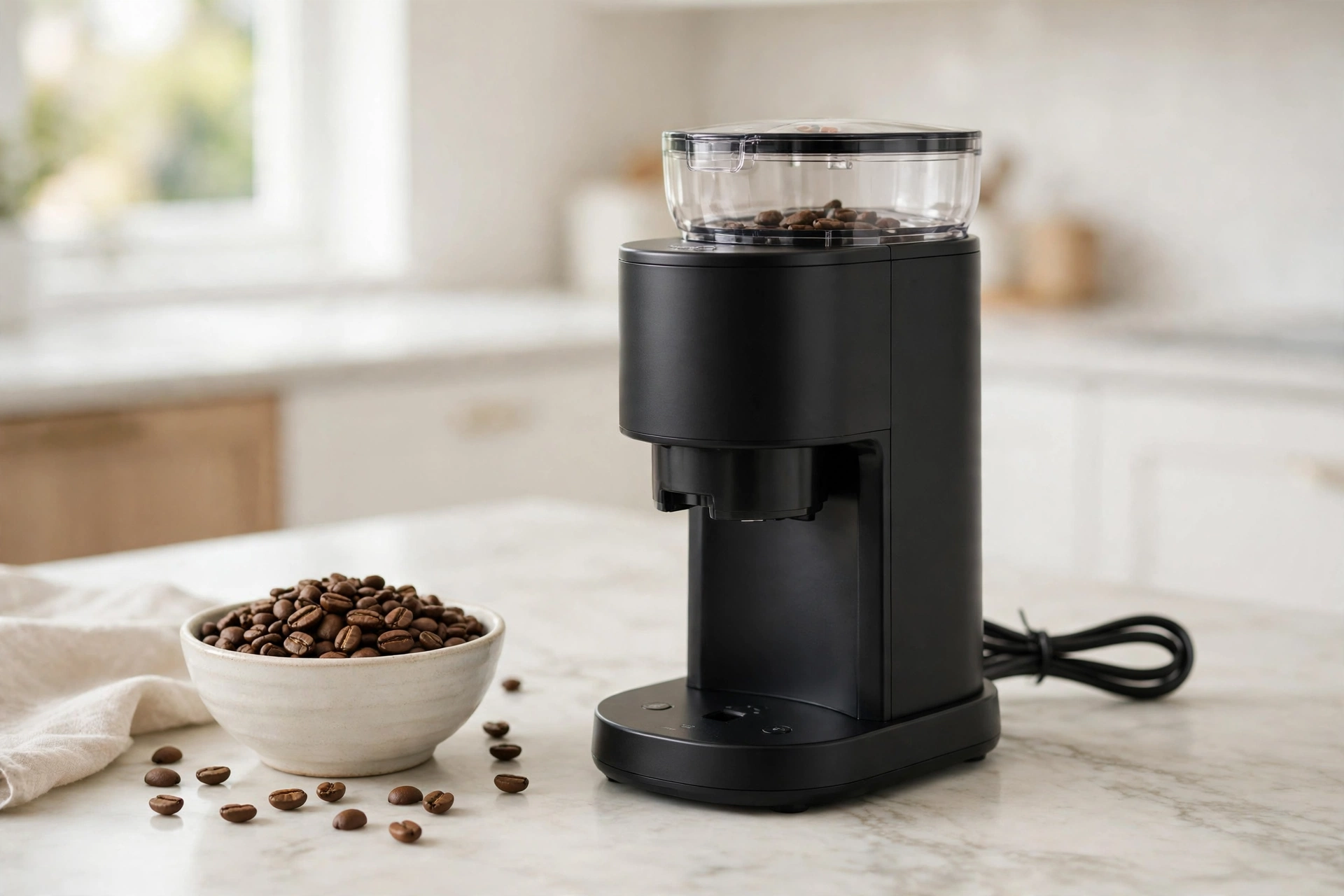
Here is how to clean Mueller Ultra-Grind Coffee Grinder CG900 in a few minutes. Unplug it. Empty the container. Unlock the top burr counter-clockwise and lift it out. Detach the PowderBlock chamber. Brush the burr, the chamber, and the container. Wipe the outside with a damp cloth. Once dry, lock the burr back clockwise and slide the container in.
WHAT YOU NEED TO CLEAN THE MUELLER CG900
You need very little. The cleaning brush from the box is the main tool. The manual lists it in the box with a coffee scoop and a funnel bracket. You also need a dry cloth, a damp cloth, and a trash bin. No soap or special cleaner is needed.
HOW TO CLEAN MUELLER ULTRA-GRIND COFFEE GRINDER CG900: UNPLUG IT FIRST
Always unplug the grinder before you clean it, as the manual says. Do not rely on the power button, which can be pressed by accident while your fingers are near the burr. Pull the plug out. If it ran for 3 minutes without a break, it may be in its 30-minute sleep mode, so wait for it to cool down.
HOW TO CLEAN MUELLER ULTRA-GRIND COFFEE GRINDER CG900: EMPTY THE BEAN HOPPER
Before you take the grinder apart, empty the beans from the hopper. Open the lid and pour the beans into a sealed bag or jar. Do not leave beans in the hopper while you clean. They can fall into the chamber and go stale. The manual's cleaning steps start with the container and the top burr, not the hopper.
HOW TO CLEAN MUELLER ULTRA-GRIND COFFEE GRINDER CG900: REMOVE THE GROUNDS CONTAINER
Slide the container out of the base and empty it. Tap it gently over a trash bin to knock out grounds that stick to the sides. The manual says it is removable. Empty it fully, then set it aside.
HOW TO CLEAN MUELLER ULTRA-GRIND COFFEE GRINDER CG900: REMOVE THE TOP BURR
The removable top burr is what makes this grinder easy to clean. Unlock it by rotating it counter-clockwise. The unlock direction is marked by an unlock icon. Once unlocked, lift it out and tap it gently over the trash bin. Fine grounds pack into the grooves between the teeth. Do not force it. If it does not turn, check that no bean is stuck. The burr is hardened alloy steel, so do not drop it or scrape it.
HOW TO CLEAN MUELLER ULTRA-GRIND COFFEE GRINDER CG900: DETACH THE POWDERBLOCK GRINDING CHAMBER
The PowderBlock chamber holds the coffee while it is ground. The manual calls it detachable, so it comes out easily for a thorough cleaning. Once the top burr is out, lift the chamber out and tap it over the trash bin. Fine dust coats the inside walls. Use the brush for stuck grounds, not a knife or a screwdriver. The manual does not say the chamber can go in a dishwasher, so do not put it in one.
HOW TO CLEAN MUELLER ULTRA-GRIND COFFEE GRINDER CG900: BRUSH OUT THE GROUNDS
Brush every part clean with the included brush. The manual says to use it on the top burr, the grinding chamber, and the grounds container. Brush the burr teeth in short strokes, then the inside of the chamber, then the container inside and out. Last, brush inside the main unit where the chamber sat. Do not wash the burr or the chamber under running water. The manual says not to immerse the unit in water.
HOW TO CLEAN MUELLER ULTRA-GRIND COFFEE GRINDER CG900: WIPE THE OUTSIDE AND REASSEMBLE
Wipe the outside with a damp cloth. The manual says to use a damp cloth, not abrasive cleaners. Wring it out well, and keep water out of the chamber and motor area. The manual says not to immerse the unit or the motor base in water. Dry it with a clean cloth. Once dry, reassemble it. Place the top burr back and lock it clockwise. Then slide the container back into its slot. A safety mechanism stops the grinder if parts are not lined up right. Only plug it back in once everything is reassembled and dry.
HOW OFTEN SHOULD YOU CLEAN THE MUELLER CG900?
The manual gives no cleaning schedule. It only says regular cleaning keeps the grinder working well and makes it last longer. So the schedule below is general guidance, not a rule from the manual. Brush out loose grounds once a week if you grind daily, and empty the container after each use. Do a full clean, with the top burr and chamber removed, every two to four weeks. Clean more often for oily dark roast beans, and right away if the coffee tastes stale or the grind looks uneven.
HOW TO FIX STALE TASTE AND OILY BEANS IN THE MUELLER CG900
Stale taste comes from old grounds and old oil left in the grinder. Fine dust stays in the burr teeth and the chamber and turns bitter over days. The fix is a full clean. Take out the top burr and the chamber, brush both well, and brush the container too. Grind a small test batch and throw it away. Oily beans make it worse. Dark roast beans leave a thin oil film on the burr and chamber walls. That film traps grounds and goes rancid. If you use oily beans, brush the burr and chamber after each use, and do a full clean every week. Do not wash the burr with soap and water. Brush the oily spots longer with the dry brush.
WHAT NOT TO DO WHEN YOU CLEAN THE MUELLER CG900
Do not clean it while it is plugged in, and do not put water on the burrs or the motor. The manual says not to immerse the motor base in liquid or the unit in water. Its cleaning method is the dry brush, not water, so do not wash the top burr or the chamber under a tap. Do not put any part in the dishwasher. The manual does not say any part is dishwasher safe. Do not use abrasive cleaners or metal tools on the burr teeth. Do not run the grinder with the top burr removed or the container out. Do not confuse it with the Mueller HyperGrind or SuperGrind. This guide is only for the Mueller Ultra-Grind CG900-BLACK, ASIN B0833F31MS.
TROUBLESHOOTING: WHEN THE MUELLER CG900 WILL NOT START
If the grinder does not turn on after cleaning, check the cord, and check that the hopper and container are in place and locked. A safety mechanism stops the grinder if parts are not lined up right. Reseat the top burr, locking it clockwise, and slide the container in flat. If it still does not start, it may be in overheat protection mode. The manual says 3 minutes of continuous use puts it to sleep for 30 minutes, and the Start/Stop button flashes. Wait the full 30 minutes. The manual suggests under 90 seconds per cycle, with 90 seconds of rest. If it stops mid-grind, check if the hopper is empty or beans are stuck, then shake it gently or use the brush to clear a blockage. Do not reach into the burr area while it is plugged in. Uneven grounds mean the burrs are still dirty, so brush the top burr again. For static, tap the container lightly and keep the beans at room temperature.
ABOUT THIS MODEL
The Mueller Ultra-Grind Conical Burr Grinder Professional Series, model CG900-BLACK, is made by Mueller, also listed as Mueller Austria. It has a hardened alloy steel conical burr with a 10-level grind dial, from Fine at 1 to Coarse at 10. Fine (1 to 3) suits espresso and Turkish coffee, medium (4 to 7) suits drip and percolator, and coarse (8 to 10) suits French press. The hopper and grounds container can produce 30 to 32 cups. A gear reduction motor grinds slowly with less noise, and one-button operation auto-stops at the end of the cycle. The box includes a cleaning brush, a coffee scoop, and a funnel bracket. It is 9 by 4.5 by 13.5 inches, weighs 8.02 pounds, and comes in black.
Price: Not verified on Amazon live on 2026-11-17. Check the live price on Amazon before you buy.
FREQUENTLY ASKED QUESTIONS
How do I clean Mueller Ultra-Grind Coffee Grinder CG900?
Unplug it, empty the container, unlock the top burr counter-clockwise, and detach the PowderBlock chamber. Brush the burr, the chamber, and the container. Wipe the outside with a damp cloth. Once dry, lock the burr back clockwise and slide the container in.
Can I wash the Mueller CG900 burr with water?
No. The manual says to use the included brush, and not to immerse the unit or the motor base in water.
Can I put the Mueller CG900 parts in the dishwasher?
The manual does not say any part is dishwasher safe. Do not put them in the dishwasher. Brush them clean instead.
How often should I clean the Mueller CG900?
The manual gives no schedule. Brush weekly if you grind daily, and full-clean every two to four weeks.
Why will my Mueller CG900 not turn on after cleaning?
Check that the top burr is locked clockwise and the container is seated flat. It may also be in 30-minute overheat protection. Wait, then try again.
Is this guide for the Mueller HyperGrind or SuperGrind?
No. This guide is only for the Mueller Ultra-Grind CG900-BLACK, ASIN B0833F31MS.
FINAL VERDICT
Cleaning the Mueller Ultra-Grind CG900 is simple once you know the parts. Unplug it, empty the container, lift out the top burr, detach the chamber, brush everything, wipe the outside, and lock the burr back clockwise. A weekly brush and a full clean every few weeks keeps the coffee fresh. Never clean it while it is plugged in, and never put water on the burrs or the motor base. Check the model number CG900-BLACK and the live price first. If you like simple gear that earns its space, see How to Clean COSORI TurboBlaze Air Fryer Basket — https://anaturalday.net/post/how-to-clean-cosori-turboblaze-air-fryer-basket — for the same plain approach in the kitchen.
SOURCES
- Mueller Ultra-Grind Conical Burr Grinder Professional Series Instruction Manual, Model CG900-BLACK — https://manuals.plus/asin/B0833F31MS.pdf — accessed 2026-11-17.
- Amazon product page — https://www.amazon.com/dp/B0833F31MS?tag=theinfojourna-20 — checked 2026-11-17. Price and rating: Not Found / Unverified.

Written by
MD DOLAR HOSEN
Technology expert and the founder and author of A Natural Day. He tests and reviews everyday tech, gadgets, and home essentials, and writes practical buying gui…

Comments (0)
Join the discussion — sign in to leave a comment.
Sign in to commentNo comments yet. Be the first to share your thoughts.