Laptop Stand: How to Pick the Right One for Your Desk, Couch, and Standing Desk
ffiliate disclosure: as an Amazon Associate, A Natural Day earns from qualifying purchases made through links on this page, at no extra cost to you.
A laptop stand is a small buy that changes how your whole desk feels. It lifts your screen to eye level, opens airflow under your laptop, and frees space on your desk. The right one can end the neck ache you get from looking down at a flat laptop all day.
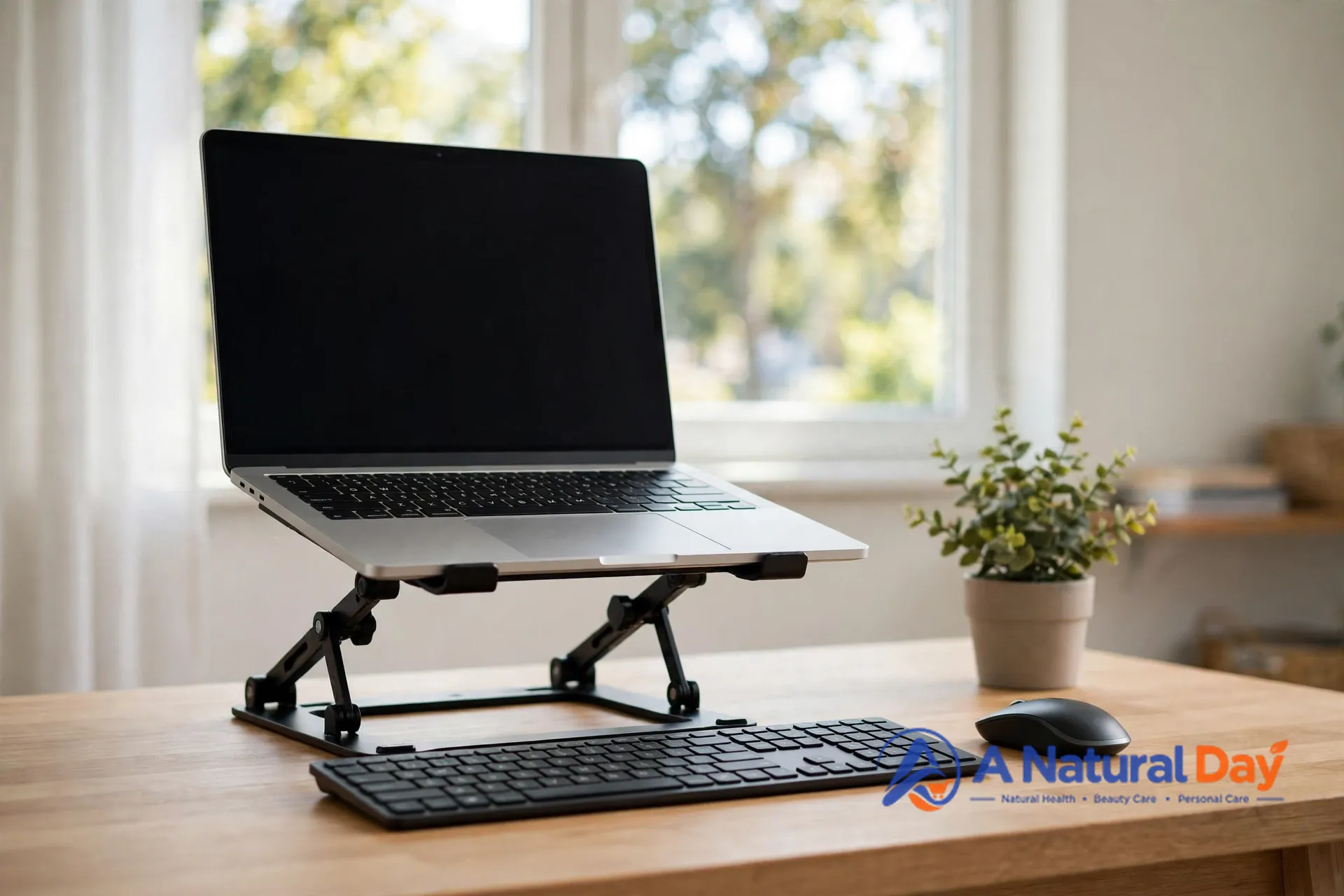
Quick answer: for most people, the best laptop stand is an adjustable one that lifts the screen to eye level, holds your laptop steady, and folds flat when you need to move it. Our featured pick is the Uncaged Ergonomics WorkEZ Laptop Stand — it adjusts from 2 to 18 inches high, tilts up to 15 degrees, and works at a desk, on a couch, and with a standing desk.
Featured pick — Uncaged Ergonomics WorkEZ Laptop Stand: an adjustable aluminum laptop stand that raises your screen to eye level, keeps your laptop cool with a vented panel, and folds flat for travel or storage. Check the WorkEZ Laptop Stand on Amazon
What a Laptop Stand Actually Does
A laptop on a flat desk sits too low. The top of the screen is far below your eyes, so you bend your neck down for hours. A laptop stand fixes the height first, and the rest follows from that one change.
It lifts the screen to eye level. The top of your screen should sit at, or just below, eye level, about an arm's length away. When the screen is at the right height, your head stays level and your shoulders stay relaxed.
It cools your laptop. A laptop that sits flat on a desk traps warm air under its base. A stand opens a gap underneath, so air can move across the base. A vented aluminum panel helps even more, because metal pulls heat away from the machine.
It frees desk space. The space under a raised laptop holds a keyboard, a notebook, or a charging cable. On a small desk, that extra room matters.
It helps your posture all day. Good posture is not about sitting up straight for five minutes. It is about a setup that lets you sit well without thinking about it. Screen height is the single biggest part of that setup — our work from home desk setup essentials guide puts it second only to your chair.
The 5 Types of Laptop Stand
Every laptop stand falls into one of five types. Knowing the type saves you from buying the wrong one.
1. Fixed riser. One solid piece, one height, no moving parts. It is the most stable type and the simplest to use: put it on the desk and forget it. Best for a laptop that never moves. Its limit is clear — if the height does not suit you, there is nothing to adjust.
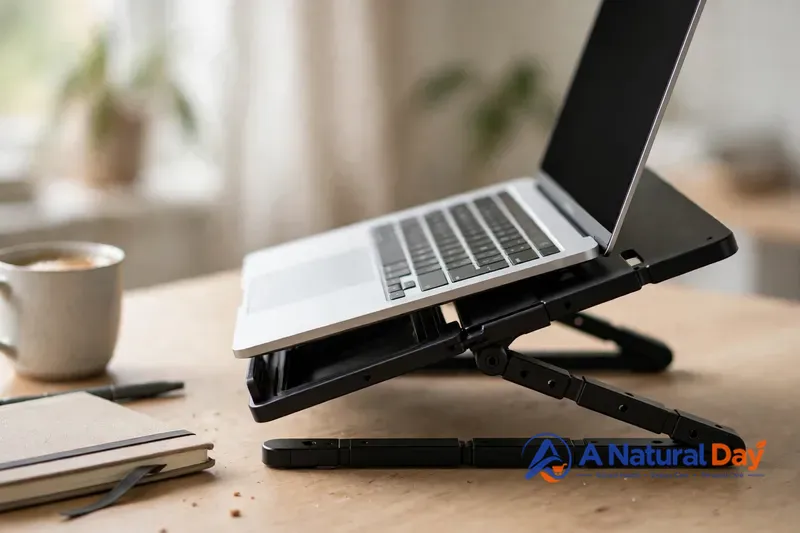
2. Adjustable stand. Height and tilt change with a hinge, a knob, or push buttons. This is the most flexible type. One stand can serve a tall person and a short person, a desk and a standing desk. Our featured pick, the WorkEZ, is this type.
3. Foldable and portable stand. Light, thin, and made to collapse into a bag. It trades some stability for travel size. Best for students and people who work from cafes, libraries, or client offices. If your laptop is heavy, check the weight limit before you buy.
4. Vertical dock. The laptop stands on its edge, closed, next to an external monitor. It saves the most desk space of all. It only works if you use an external monitor and keyboard every day — the laptop screen stays shut.
5. Lap desk and stand combo. A wide panel with legs that works on a desk and across your legs on a bed or couch. It is the only type that truly works everywhere. The trade-off is size: it is bigger than a folding travel stand and does not fit in a small bag.
Our Featured Pick: Uncaged Ergonomics WorkEZ Laptop Stand
Most top-10 lists name the same few stands and move on. They rarely explain how one stand can serve a desk, a couch, and a standing desk. The WorkEZ earns its place here because it does all three, and it has been on sale since 2011 — a long run for any laptop accessory.
The WorkEZ is an adjustable laptop stand from Uncaged Ergonomics. Its aluminum panel is vented, so air flows under your laptop and the metal helps carry heat away. Push buttons set the height anywhere from 2 to 18 inches, and the tilt adjusts up to 15 degrees. That range is wide enough for a low desk, a tall desk, and a standing desk — most adjustable stands cover only a few inches.
It weighs 3 pounds and folds flat, so it moves from room to room without a fuss. A soft silicone lip holds your laptop in place, and non-skid traction bands keep the stand steady on smooth desks. A small mouse pad attaches to either side of the panel, which helps left-handed users as much as right-handed ones. No assembly is needed — it works straight out of the box.
The same stand also works as a lap desk. Slip it over your legs on a bed or a couch and it holds your laptop hands-free, with the vented panel keeping the machine cool and your legs comfortable. That is the part most guides skip: a stand you only use at a desk helps you for eight hours, but a stand you can use anywhere helps you all evening too.
Check the WorkEZ Laptop Stand on Amazon
How to Choose a Laptop Stand
Use this short checklist before you buy any laptop stand. It covers the points the top guides mention least.
Size fit. Measure your laptop first. The stand must be at least as wide as your laptop's base, with a lip that holds the front edge. A stand made for a 13-inch laptop will wobble under a 17-inch machine.
Height range. This is the number that matters most, and many guides never give it. Check the lowest and highest height. A stand that lifts only 4 inches may still leave the screen below your eyes if you are tall or your desk is low. A wide range, like 2 to 18 inches, covers sitting and standing use in one stand.
Tilt angle. Tilt changes the keyboard angle and cuts screen glare. A small tilt range is fine for typing; a wider range helps when you read or watch video. If you type on the laptop itself, keep the tilt low — a steep tilt strains your wrists.
Material. Aluminum is the safest default: strong, light, and good at moving heat away. Plastic stands are lighter and cheaper but flex under heavy laptops. Wood looks warm on a desk but adds weight. Steel is the strongest and the heaviest.
Weight and portability. A stand that stays on one desk can weigh as much as it likes — weight adds stability. A stand that travels with you should stay under 2 pounds and fold flat. The WorkEZ sits in the middle at 3 pounds: light enough to carry room to room, heavy enough to stay put.
Cooling. Any stand that lifts the laptop helps cooling. Vented panels and open frames help more. A stand with built-in fans cools the most, but it needs a USB cable and adds noise — most people do not need fans.
Stability. Push the stand gently from the side before you trust it. Rubber feet, a wide base, and a front lip all add stability. If you use a heavy laptop, stability matters more than any other feature.
How to Set Up Your Laptop Stand the Right Way
A good stand set up badly still hurts your neck. Follow these steps once, and the setup stays right.
1. Set the height first. Raise the stand until the top of your screen sits at, or just below, eye level. Sit in your normal chair, look straight ahead, and adjust from there.
2. Set the distance. The screen should sit about an arm's length away. Too close, and your eyes work too hard. Too far, and you lean in.
3. Add an external keyboard and mouse. This step is not optional. Typing on a raised laptop forces your hands up and your wrists back — worse than the problem you started with. A separate keyboard and mouse let your elbows rest at desk height while the screen stays high.
4. Check your chair. Your feet should sit flat on the floor with your knees near 90 degrees. If the screen is right but the chair is wrong, your back still pays. Our work from home desk setup essentials guide covers chair height in full.
5. Cut the glare. Tilt the screen a little until window light and ceiling light stop reflecting on it. A small tilt change often fixes glare that a bright screen cannot.
One Stand for Desk, Couch, and Standing Desk
Here is the gap most laptop stand guides leave open: they review stands as desk objects, and they never ask where else you use your laptop. Many people work at a desk in the morning, answer email from the couch in the evening, and stand for an hour at a standing desk in between. Buying a different stand for each place wastes money and desk space.
A wide-range adjustable stand covers all three. At a desk, set it low with a slight tilt for typing. On the couch, use it as a lap desk — the panel spreads the laptop's weight and heat across your legs instead of one hot spot. At a standing desk, raise it to the top of its range so the screen meets your eyes while you stand. The WorkEZ does this with the same push-button adjustment in all three places: 2 to 18 inches of height, up to 15 degrees of tilt, and a panel that folds flat when the day is done.
If you only ever work at one desk, a fixed riser is fine and cheaper. But if your laptop follows you around the house, one adjustable stand that works everywhere is the better buy. See the WorkEZ Laptop Stand on Amazon and check whether its height range fits your desk and your standing desk.

Mistakes to Avoid
- Buying by looks alone. A slim, pretty stand that wobbles under your laptop is worse than a plain one that holds steady. Stability first.
- Skipping the external keyboard. A raised laptop with no separate keyboard trades neck pain for wrist pain. Budget for both together.
- Ignoring your laptop's size. A stand rated for small laptops will flex or tip under a large one. Match the stand to your machine, not to the photo.
- Setting the screen too high. Above eye level is as bad as below it — your chin lifts and your neck tires. The top of the screen should sit at, or just below, eye level.
- Forgetting the couch test. If you use your laptop on a bed or couch, check that the stand works there too. A desk-only stand leaves you hunched on the sofa every evening.
Frequently Asked Questions
Do I really need a laptop stand?
If you use a laptop for more than an hour a day, yes. A flat laptop forces your neck down for hours. A stand is the cheapest fix for that strain, and it also cools your laptop and frees desk space.
What height should a laptop stand be?
High enough that the top of your screen sits at, or just below, eye level when you sit in your normal chair. For most desks that means a lift of about 5 to 7 inches, but tall people and standing desks need more — which is why an adjustable range matters.
Is an adjustable laptop stand better than a fixed one?
For most people, yes. An adjustable stand fits different chairs, desks, and people, and it works for both sitting and standing. A fixed stand is fine only if one person uses one desk and the height already suits them.
Does a laptop stand help with cooling?
Yes. Lifting the laptop opens airflow under its base, and a vented aluminum panel carries heat away from the machine. It will not replace a fan for heavy gaming, but it helps everyday work and extends your laptop's life.
Can I use a laptop stand on a bed or couch?
Yes, if the stand is made for it. A lap-desk style stand with a wide flat panel works across your legs. A small folding riser will slide around and feel unstable. The WorkEZ is built for both uses.
Do I need an external keyboard with a laptop stand?
Yes. When the laptop sits high, its own keyboard is too high to type on comfortably. A separate keyboard and mouse let your hands rest at desk height while the screen stays at eye level. If you are choosing a laptop for study or work, our best budget laptop for students guide and our laptop vs tablet for study and work comparison can help you pick the machine first.
Ready to fix your desk setup? The Uncaged Ergonomics WorkEZ Laptop Stand adjusts from 2 to 18 inches, tilts up to 15 degrees, and works at your desk, on the couch, and with a standing desk. Check the WorkEZ Laptop Stand on Amazon
Conclusion
A laptop stand is a small purchase with a daily payoff. It lifts your screen to eye level, cools your laptop, and gives your desk room to breathe. The right one is adjustable, stable, and sized for your laptop — and if your laptop follows you from desk to couch to standing desk, one stand that works everywhere beats three that do not.
Pick your type, check the height range before you buy, and add an external keyboard and mouse on the same day. Your neck will notice the difference before the week is out.

Written by
MD DOLAR HOSEN
Technology expert and the founder and author of A Natural Day. He tests and reviews everyday tech, gadgets, and home essentials, and writes practical buying gui…



Comments (0)
Join the discussion — sign in to leave a comment.
Sign in to commentNo comments yet. Be the first to share your thoughts.