How to Use Waterpik Aquarius WP-660 Water Flosser
QUICK ANSWER
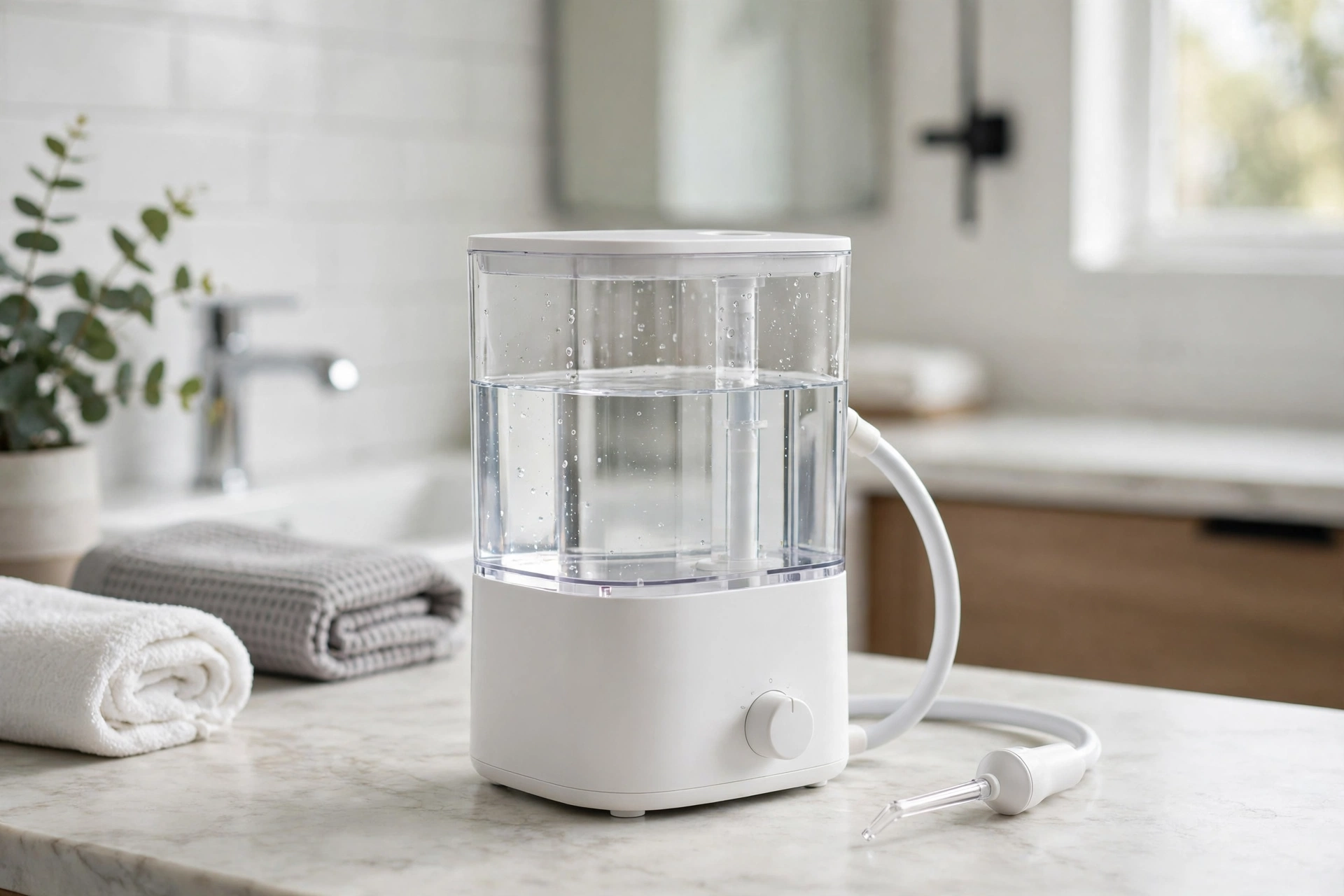
This guide shows how to use Waterpik Aquarius WP-660 water flosser, straight from the manual. First, prime the unit on first use: set the pressure dial to high, point the tip into the sink, and turn the unit on until water flows from the tip. Then turn it off. For daily use, fill the reservoir with lukewarm water, click a tip into the handle, and start at the lowest pressure setting. Lean over the sink, put the tip in your mouth, turn the unit on, and turn the water on with the handle switch. Aim the tip along the gumline at a 90-degree angle and pause briefly between teeth. The timer pauses at 30 seconds and 1 minute. When you finish, turn the water off on the handle, turn the unit off on the base, and empty the reservoir.
WHAT YOU NEED
You need the Waterpik Aquarius Water Flosser, White, model WP-660, ASIN B00HFQQ0VU. You also need a sink, a flat surface near an outlet, and lukewarm water. The unit is corded electric and plugs into a 120VAC/60Hz outlet for North America only. The box includes 7 flossing tips. Check that you have the White WP-660 before you start. The WP-663 is the Blue version, and the WP-660C is a Costco variant. Check the model number (WP-660/660C) and the ASIN before you buy.
HOW TO USE WATERPIK AQUARIUS WP-660 WATER FLOSSER: SET IT UP AND PRIME IT FIRST
Place the unit on a flat, stable surface near an outlet and a sink. Plug the power cord securely into a 120VAC/60Hz outlet. Then prime the unit. Priming fills the inside of the unit with water so the flow starts smoothly. To prime it, set the pressure control dial to high. Point the tip into the sink. Turn the unit on until water flows from the tip. Then turn it off. If no water comes out, check that the reservoir has water and the tip clicked into the handle, then prime again on high. Prime only on first use, and again if an air lock stops the water flow. After priming, turn the dial back down before you put the tip in your mouth.
HOW TO USE WATERPIK AQUARIUS WP-660 WATER FLOSSER: FILL THE RESERVOIR
The reservoir holds 22 oz of water. That is enough for more than 90 seconds of flossing time, according to the manual. Fill it with warm water, and use lukewarm water for best results. Lift the reservoir off the base, fill it, and seat it firmly back on the base. Press it down until it sits flat and firm, or it can leak. Plain lukewarm water is all the manual calls for. The manual does not name any mouthwash or other liquid to add, so this guide does not recommend one. After each use, empty any water that is left in the reservoir.
HOW TO USE WATERPIK AQUARIUS WP-660 WATER FLOSSER: CHOOSE THE RIGHT TIP
The WP-660 comes with 7 flossing tips in five types. The Classic Jet Tips are for general use. The Plaque Seeker Tip is for implants, crowns, bridges, and other restorations. The Orthodontic Tip is for braces. The Pik Pocket Tip is for periodontal pockets. The Toothbrush Tip is for brushing and flossing at the same time. If you have no braces, implants, or other dental work, start with the Classic Jet Tip. The manual gives no separate routine per tip, so the technique below is the same for all of them. To fit a tip, insert it into the handle until it clicks into place. The tip rotates 360 degrees, so you can turn it to reach all areas of your mouth, including the back teeth.
HOW TO USE WATERPIK AQUARIUS WP-660 WATER FLOSSER: SET THE PRESSURE DIAL
The pressure control dial on the unit has 10 settings. It lets you change the water pressure from gentle to maximum cleaning. First-time users should start at the lowest setting and increase it gradually. A high setting on your first day can feel too strong and can make your gums sore. Start low, get used to the stream, and turn the dial up a little each day until you find the setting that feels right. There is no single correct setting. Your comfort decides it. The dial is on the unit itself, not on the handle, so set it before you start. The manual also lists a Massage Mode for gum stimulation, but it gives no separate steps for it, so this guide adds none.
HOW TO USE WATERPIK AQUARIUS WP-660 WATER FLOSSER: USE THE 90-DEGREE GUMLINE TECHNIQUE
This is the core step. Lean over the sink and place the tip in your mouth before you turn the water on. If you turn the water on first, water will spray. Put the tip in your mouth, then turn the unit on with the power button on the base. Then turn the water on with the switch on the handle. Aim the tip along the gumline at a 90-degree angle. Pause briefly between teeth so the stream can clean each gap. Close your lips enough to prevent splashing while water flows into the sink. Floss both the inside and outside surfaces of your upper and lower teeth. Work around your mouth in order, tooth by tooth. When you finish, turn the water off on the handle first, then turn the unit off on the base. Then empty any water left in the reservoir.
HOW TO USE WATERPIK AQUARIUS WP-660 WATER FLOSSER: FOLLOW THE 30-SECOND PACER
The WP-660 has a built-in timer and pacer. It pauses briefly at 30 seconds and again at 1 minute to help you track your flossing time. At 30 seconds you should be about halfway through. At 1 minute you should be near the end. The reservoir holds enough water for more than 90 seconds, so you have time to cover all your teeth. A slow pass along the gumline cleans better than a fast pass. If you run out of water before you finish, refill the reservoir and keep going. The pacer is a guide, not a rule. Your dentist may give you a different time goal.
TROUBLESHOOTING: HOW TO USE WATERPIK AQUARIUS WP-660 WATER FLOSSER WHEN IT DOES NOT WORK
If the unit does not turn on, check the plug first. Make sure the power cord is securely plugged into the outlet. If there is still no power, contact customer support. If the water pressure is low, turn the dial up. Mineral buildup or a clogged tip can also cause it. Clean the unit and tips, and replace the tip if it looks clogged or damaged. If water leaks, the reservoir may not be seated right. Press it firmly onto the base. Check that the flossing tip clicked securely into the handle, and look at the hose for damage. If no water flows, the reservoir may be empty, the tip may not be clicked in, or the unit may have an air lock. Fill the reservoir, push the tip in until it clicks, and prime on high with the tip pointed into the sink until water flows. If none of these steps work, contact Waterpik support.
HOW TO USE WATERPIK AQUARIUS WP-660 WATER FLOSSER: CLEAN IT AFTER EACH USE
After each use, empty any remaining water from the reservoir. The removable 22 oz reservoir is top-rack dishwasher safe, so you can wash it in the dishwasher when you want a deeper clean. Clean it regularly to prevent mineral buildup. Wipe the outside with a soft cloth and a mild, non-abrasive cleaner as needed. Replace the flossing tips every 3 months, or sooner if they show signs of wear. Do not leave water standing in the reservoir.
WHAT NOT TO DO
Do not skip the priming step on first use. Do not start at a high pressure setting on your first day. Start at the lowest setting and increase it slowly. Do not aim the water under your tongue, into your ear, into your nose, or at other delicate areas. The manual warns against this clearly. Do not use tips or accessories that Water Pik, Inc. does not recommend. Do not turn the water on before the tip is in your mouth, or water will spray. Do not leave water sitting in the reservoir after use. Follow the manual and your dental professional's advice. Do not buy the wrong version by mistake. This guide is for the White WP-660, ASIN B00HFQQ0VU. The Blue version is the WP-663, and the WP-660C is a Costco variant.
ABOUT THIS MODEL
The Waterpik Aquarius WP-660 is a countertop water flosser for teeth, gums, and dental work. The model number is WP-660/660C. The unit has 10 pressure settings, 7 flossing tips, a 22 oz reservoir, and a built-in timer and pacer. The reservoir gives more than 90 seconds of flossing time. The tip rotates 360 degrees to reach all areas of the mouth, including the back teeth. It is corded electric, runs on 120VAC/60Hz for North America only, measures 3.8 x 4.7 x 10.3 inches, and weighs 1.46 pounds. The manual lists it as ADA Accepted for safety and effectiveness. It comes with a 3-year limited manufacturer's warranty.
Price: Not verified on Amazon live on 2026-11-17. Check the live price on Amazon before you buy.
FREQUENTLY ASKED QUESTIONS
How do I use the WP-660 water flosser for the first time?
Prime it first: set the pressure dial to high, point the tip into the sink, and turn the unit on until water flows. Then turn it off. Fill the reservoir with lukewarm water, click a tip in, and start at the lowest setting.
What pressure setting should I start with on the WP-660?
Start at the lowest setting and increase it gradually. Turn the dial up a little each day until you find the setting that feels right.
How do I aim the WP-660 water flosser?
Aim the tip along the gumline at a 90-degree angle and pause briefly between teeth. Close your lips enough to prevent splashing while you let the water flow from your mouth into the sink.
How long should I floss with the WP-660?
The timer pauses at 30 seconds and 1 minute. The 22 oz reservoir holds enough water for more than 90 seconds. Use the pauses as a guide.
Which tip should I use?
Use the Classic Jet Tip for general use, the Orthodontic Tip for braces, the Plaque Seeker Tip for implants, crowns, and bridges, and the Pik Pocket Tip for periodontal pockets.
How do I clean the WP-660?
Empty any water left in the reservoir after each use. The reservoir is top-rack dishwasher safe. Replace the tips every 3 months or sooner if they show signs of wear.
Why is no water coming out of my WP-660?
The reservoir may be empty, the tip may not be clicked in, or the unit may have an air lock. Fill the reservoir, push the tip in until it clicks, and prime the unit on high pressure with the tip pointed into the sink until water flows.
Which model is this guide for?
This guide is for the White WP-660, ASIN B00HFQQ0VU. The WP-663 is the Blue version, and the WP-660C is a Costco variant. The manual lists the model number as WP-660/660C. Check the model number and the ASIN before you buy.
FINAL VERDICT
Learning how to use Waterpik Aquarius WP-660 water flosser is simple once you know the order. Prime it on first use. Fill the reservoir with lukewarm water. Click in a tip. Start at the lowest pressure setting. Aim at a 90-degree angle along the gumline and pause briefly between teeth. Follow the 30-second and 1-minute pacer pauses. Then turn the water off, turn the unit off, and empty the reservoir. Keep it clean, replace the tips every 3 months, and check the live price on Amazon before you buy. If you like simple daily routines that work, see How to Use Philips Sonicare 4100 Toothbrush — https://anaturalday.net/post/how-to-use-philips-sonicare-4100-toothbrush — for the same plain approach to brushing.
SOURCES
- Waterpik Aquarius Water Flosser WP-660 User Manual — https://manuals.plus/bs/asin/B00HFQQ0VU — accessed 2026-11-17.
- Waterpik Aquarius Water Flosser WP-660 User Manual (PDF) — https://manuals.plus/asin/B00HFQQ0VU.pdf — accessed 2026-11-17.
- Amazon product page — https://www.amazon.com/dp/B00HFQQ0VU?tag=theinfojourna-20 — checked 2026-11-17. Price: Not Found / Unverified. Rating: Not Found / Unverified.

Written by
MD DOLAR HOSEN
Technology expert and the founder and author of A Natural Day. He tests and reviews everyday tech, gadgets, and home essentials, and writes practical buying gui…


Comments (0)
Join the discussion — sign in to leave a comment.
Sign in to commentNo comments yet. Be the first to share your thoughts.